Workflow
Pinterest Video Pins Strategy: How to Create High-Converting Vertical Clips
The ultimate guide to creating short-form vertical video pins that capture attention and drive massive clicks in 2026.

PintDownload Team
· 10 min read · 310 words

Video content on Pinterest has exploded. According to recent platform statistics, video pins receive 3x more watch time and significantly higher save rates than static image pins in competitive niches like DIY, cooking, fitness, and beauty.
If you want to maximize your reach in 2026, integrating vertical video pins into your content schedule is essential. Here is how to script, edit, and optimize video pins for maximum engagement.
Technical Specifications for Pinterest Video
Before recording, make sure your video settings match Pinterest's algorithm requirements:
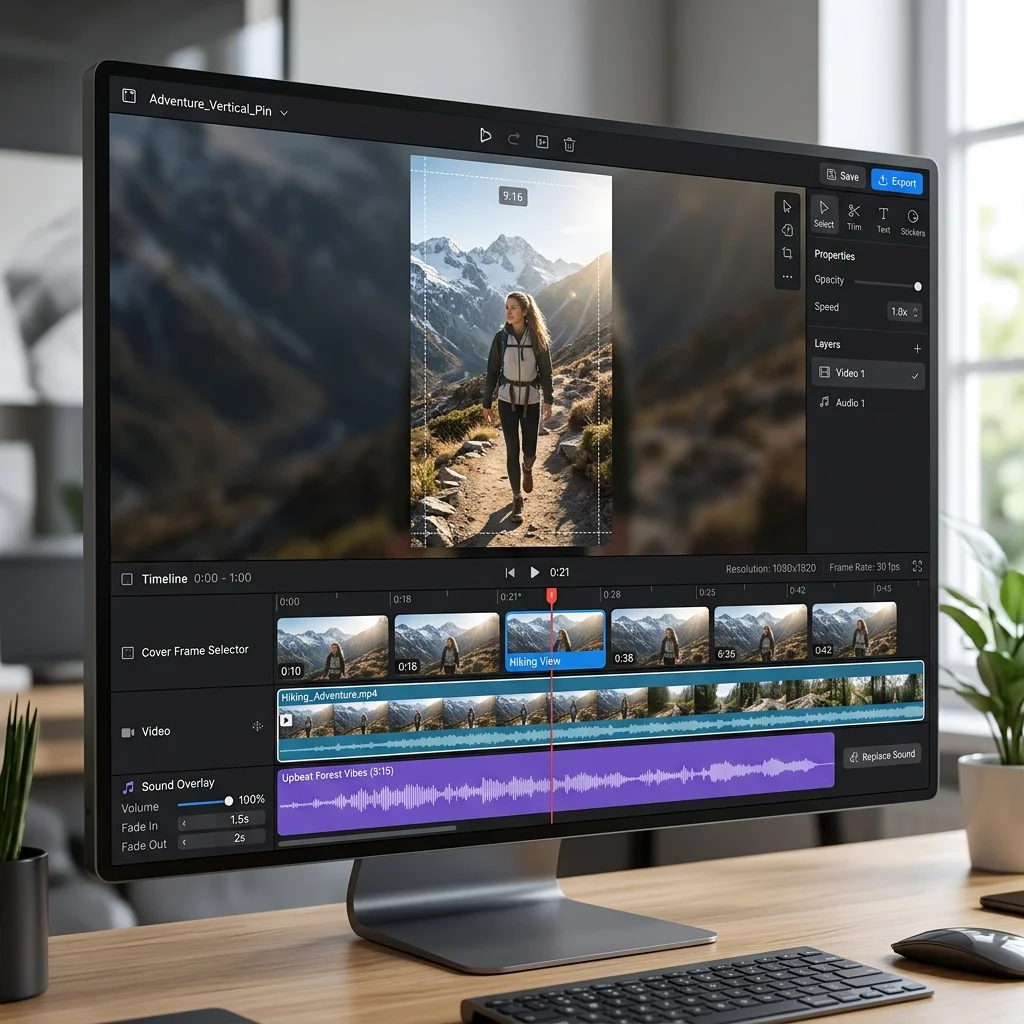
- Aspect Ratio: 9:16 vertical (1080 x 1920 pixels) is ideal for mobile feed takeover.
- Video Length: 15 to 45 seconds performs best. Keep it punchy and focused on a single outcome.
- File Format: MP4 or MOV.
- Cover Frame: Select or upload a high-contrast cover image with clear text overlay for search grid preview.
The 3-Second Hook Rule
Users scroll rapidly through their home feed. To stop the thumb scroll, your video must deliver a strong visual or text hook within the first 3 seconds:
- Before & After Transformation: Show the impressive final result immediately, then rewind to show the quick steps.
- Problem-Solution Headline: Render large, bold text at the top of the video (e.g., "Stop Storing Shoes Like This!").
- Action-Packed Movement: Start mid-motion rather than sitting down to introduce yourself.
Repurposing TikToks & Instagram Reels Safely
You do not need to create unique videos for Pinterest from scratch. You can repurpose existing short-form videos from TikTok, Instagram Reels, or YouTube Shorts. However, make sure to remove platform watermarks before uploading to Pinterest, as Pinterest algorithm penalizes watermarked third-party logos.
If you need to download and archive your public Pinterest video pins or reference clips for offline presentation decks, use our dedicated Pinterest Video Downloader.
More in Workflow
Keep reading
-
 Workflow The Pinterest Shadowban & Account Takedown Survival Manual: How to Backup & Protect Your Content Legacy 15 min read
 -
 Workflow Pinterest for Bloggers: How to Drive 100,000+ Monthly Visitors to Your Blog 13 min read
 -
 Workflow Tips & Tricks to Keep Downloaded Pinterest Videos Organized 6 min read
 - Workflow Beyond the Download: Building Your Personal Reference Library 6 min read