




Extract all photos, videos, and slides from multi-image Pinterest carousel pins in full HD resolution.
Full Carousel Parsing
Automatically detects multi-slide carousel pins and lists every individual photo and video slide for download.
1-Click ZIP Archive
Download all slides bundled together in a clean ZIP archive with one tap instead of clicking each slide separately.
No Compression Loss
Extract original 1080p source graphics directly from CDN servers without pixelation or quality degradation.
How to download all slides from Pinterest carousel
Save all multi-image carousel slides in 3 steps.
Carousel Pin Link: https://pin.it/…
- 1
Copy Multi-Image Carousel URL
Open Pinterest and locate any carousel pin containing multiple photos or video slides. Tap Share -> Copy Link.
- 2
Extract Every Carousel Slide
Paste the link into PintDownload above. Our parser automatically scans the pin and extracts all individual slide assets.
- 3
Download Slides Individually or as ZIP
Save each high-resolution slide image/video one-by-one or click "Download Board / Carousel ZIP" to get all slides in a single archive.
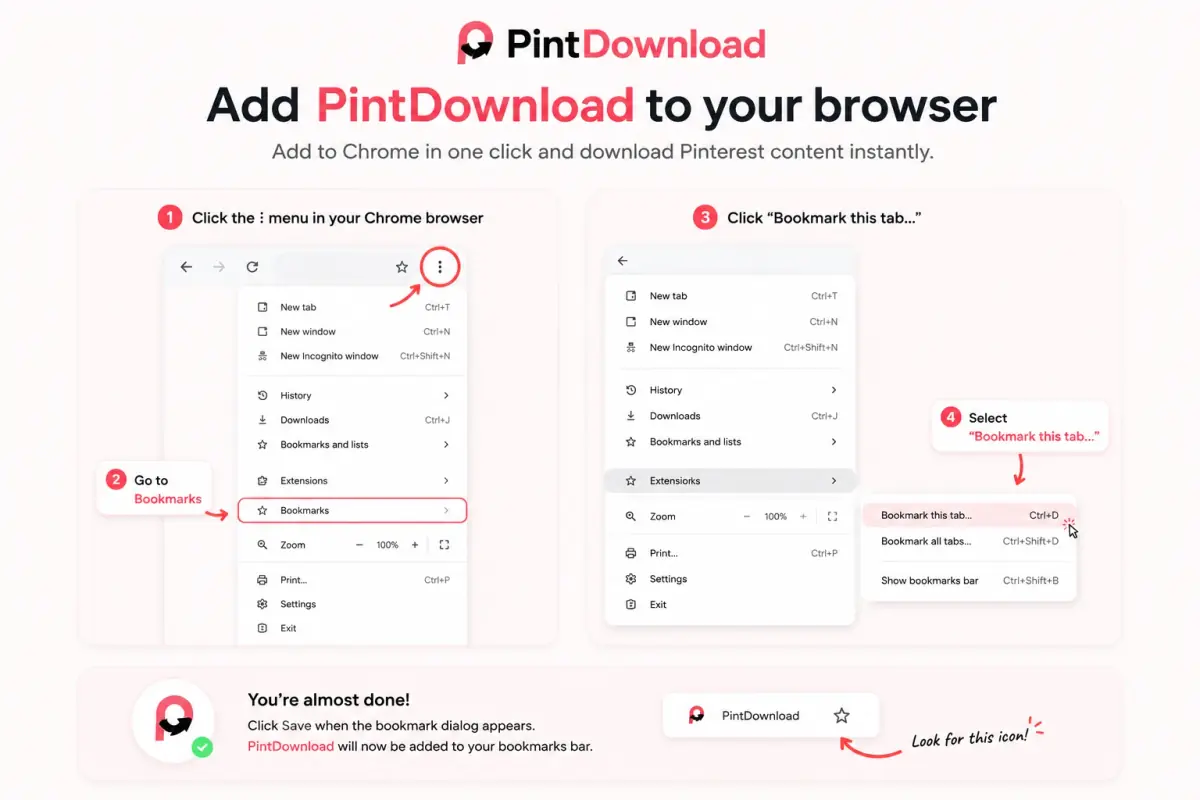
PintDownload 1-Click Bookmarklet
Save Pinterest videos, photos, and boards directly while browsing Pinterest—no tab switching required!
1 Chrome / Edge
Press Ctrl+Shift+B (or Cmd+Shift+B on Mac) to show your bookmarks bar, then drag the button above onto it.
2 Safari (Mac & iOS)
Drag button to Favorites. On iPhone/iPad, bookmark any page, edit bookmark URL, and paste the bookmarklet JavaScript snippet.
3 How to Use
Whenever you are viewing a pin or board on Pinterest, click your PintDownload bookmarklet—we instantly open with the link ready to download!
Pinterest Carousel FAQs
Can I download all slides from a Pinterest carousel pin at once?
Are carousel images extracted in original full resolution?
What happens if a carousel contains both videos and photos?
Related Pinterest download tools
Each tool is built for a different URL type and search intent — so you land on the right downloader first time.
Pin Downloader
PinOne pin URL → HD image, video, GIF, or full carousel.
Video Downloader
MP4Save public Pinterest videos as MP4 (HD streams).
Image Downloader
HDOriginal-resolution photos and artwork from pin links.
Board Downloader
ZIPPaste a board URL and download public pins as a ZIP.
Profile Downloader
ZIPPack visible public pins from a profile into a ZIP.
GIF Downloader
GIFDownload animated GIF pins without quality loss.
iPhone & Android Gallery Saver
MobileSave Pinterest videos directly to your phone camera roll.
Chrome Extension Tool
Chrome1-click browser download tool for Chrome, Safari, and Edge.
Gallery Video Saver
GalleryStep-by-step guide to saving Pinterest videos in phone gallery.
Laptop & PC Downloader
PCDownload 1080p HD Pinterest videos on Mac, Windows, & PC.
Profile Picture Downloader
PFPExtract full HD profile pictures & avatar icons.