Workflow
Beyond the Download: Building Your Personal Reference Library
Turn Pinterest saves into a personal reference library — inbox, projects, archive layers, offline study sessions, and bulk vs single strategies.

PintDownload Team
· 6 min read · 528 words
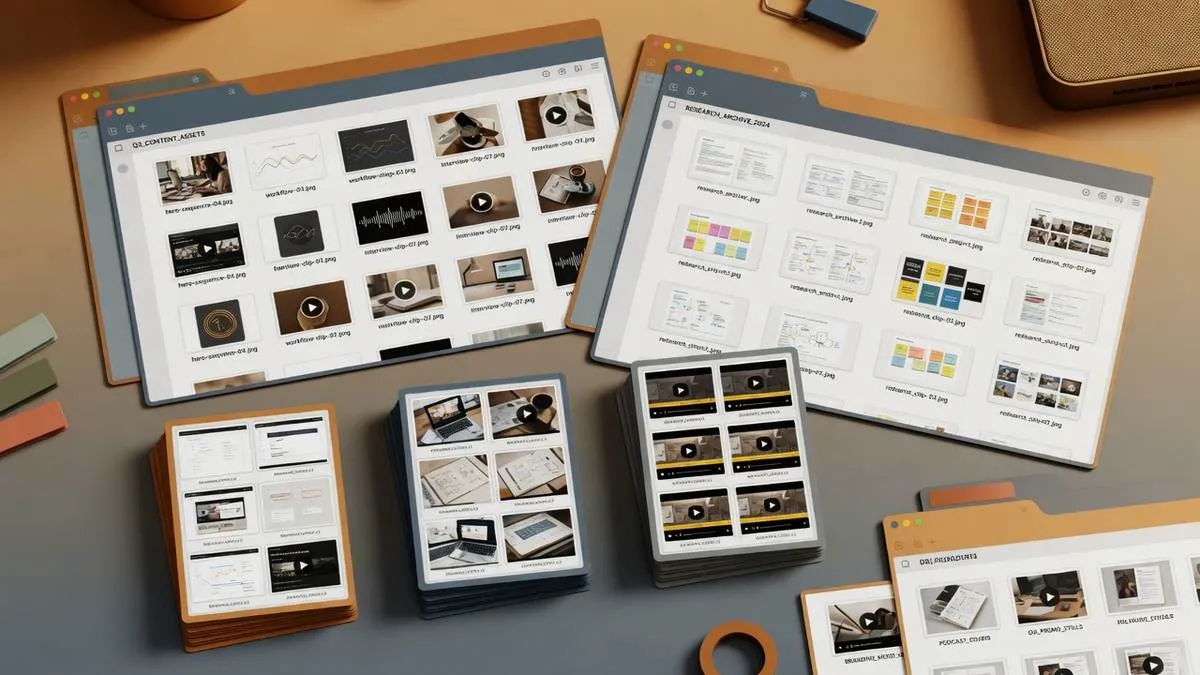
Pinterest is a discovery engine. Your offline library is the study engine. When you combine single saves from the Pinterest Pin Downloader with bulk packs from the Pinterest Board Downloader and Pinterest Profile Downloader, you can learn and design without the feed hijacking your attention.
This article outlines a durable library architecture used by designers, students, and makers who treat offline media like a personal museum — curated, labeled, and actually revisited.
Library layers
- Inbox — raw downloads for 48 hours
- Projects — active work only (one folder per project)
- Topics — evergreen reference (typography, plating, joinery)
- Archive — seasonal or completed themes
Capture rules
- If you will not open it again, do not download it.
- If it is part of a theme, prefer board ZIP over twenty random singles.
- If steps matter, number filenames.
- If legal reuse matters, store source URLs in a text sidecar note.
When to bulk vs single
- One tutorial → Pinterest Video Downloader
- Full moodboard → Pinterest Board Downloader
- Creator survey → Pinterest Profile Downloader
- Carousel product study → Pinterest Pin Downloader
Offline study sessions
Put the phone in airplane mode. Open only the project folder. Loop hard segments. This is the same principle as study smarter with Pinterest videos and the travel offline pack.
Review cadence
Monthly: archive finished projects, delete orphans, re-tag topics that grew messy. A library you never prune becomes a junk drawer with better lighting.
Tactical naming help: organization tips.
Example: a kitchen remodel library
Projects/Kitchen-2026/inbox/— raw downloads this week…/layout/— floor plans and island shapes…/materials/— tile, wood, hardware close-ups…/process/— how-to videos numbered by step…/_heroes/— the shortlist you show a contractor
Board ZIPs feed materials and layout. Pin/video tools feed process. Profile ZIPs are optional for following a particular designer’s public aesthetic.
Review ritual
Every Sunday night: empty inbox, promote heroes, archive finished side quests. Fifteen minutes keeps the system trustworthy so your brain stops hoarding “just in case” downloads.
Metadata that takes ten seconds
Alongside hero files, keep a tiny sources.txt with pin URLs and dates. When a client asks “where did this tile idea come from?” you are not reverse-image-searching your own life. Metadata is boring until it saves a meeting.
Seasonal refresh
Design trends and travel plans expire. Twice a year, archive seasonal folders (holiday décor, summer menus) so the active library stays small enough to trust. A trusted small library beats a gigantic unread one.
Collaboration
When sharing a folder with a partner or contractor, export a flat _heroes pack only. Do not dump your entire inbox. Curation is part of communication.
Try it on PintDownload
Paste a public Pinterest link and download free — no account required.
Frequently asked questions
How many folders is too many?
If you hesitate more than two seconds when filing, simplify. Projects + a few topics beat a taxonomy novel.
Should I keep source links?
Yes for anything you might publish or need to credit later.
Related tools: Pinterest Pin Downloader · Pinterest Video Downloader · Pinterest Board Downloader · Pinterest Profile Downloader
More in Workflow
Keep reading
-
 Workflow The Pinterest Shadowban & Account Takedown Survival Manual: How to Backup & Protect Your Content Legacy 15 min read
 -
 Workflow Pinterest Video Pins Strategy: How to Create High-Converting Vertical Clips 10 min read
 -
 Workflow Pinterest for Bloggers: How to Drive 100,000+ Monthly Visitors to Your Blog 13 min read
 - Workflow Tips & Tricks to Keep Downloaded Pinterest Videos Organized 6 min read